Streamlining Accounting Data Cleanup with Excel's REGEX Functions
Excel's REGEX functions offer accounting professionals streamlined tools for cleaning and standardizing data, enhancing efficiency and accuracy.
Q: How can accounting professionals clean and standardize messy accounting data imported from various systems more efficiently?
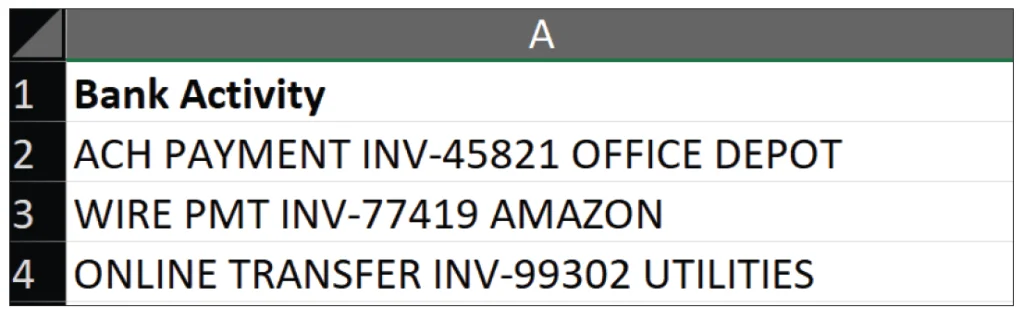
A: Excel for Microsoft 365 introduces REGEX functions that significantly enhance the cleaning and standardization of text-based accounting data, moving beyond traditional left, mid, right, and substitute functions. REGEX, or “regular expressions,” allows users to identify and manipulate patterns in text strings, making it an essential tool for accountants dealing with often messy data from ERP systems, bank feeds, and payroll software.
The Challenge of Inconsistent Data
Accounting professionals frequently face the challenge of reconciling varied data formats stemming from exports of ERP systems, purchasing platforms, and user databases. This inconsistency can result in issues like vendor names appearing in multiple configurations or transaction descriptions embedding essential invoice identifiers within lengthy text. Typically, accountants use complicated combinations of functions like LEFT, MID, FIND, and SUBSTITUTE, yet many of these methods can be cumbersome and overly complex.
Introducing REGEX Functions
Excel's REGEX functions, namely REGEXEXTRACT, REGEXREPLACE, and REGEXTEST, provide a more streamlined process for tackling these data-cleaning challenges. Unlike traditional functions that depend on fixed character positions, REGEX focuses on identifying patterns, making it more flexible.
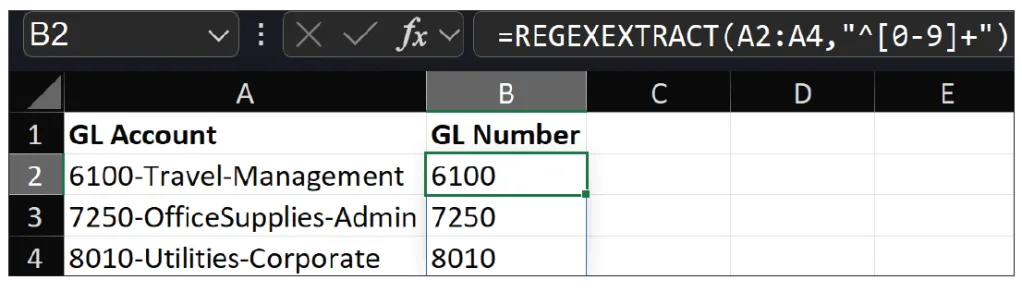
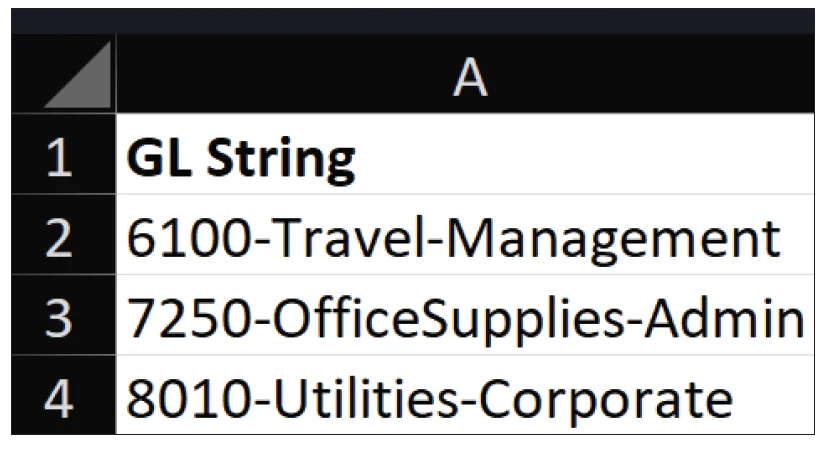
To harness the power of REGEX, accountants do not need to be well-versed in programming; learning some fundamental patterns and syntax can automate repetitious tasks effectively. Here are a few keys to understanding REGEX syntax:
[0-9]: Matches any digit from 0 to 9.+: Indicates one or more occurrences of the preceding element.^: Asserts the start of the text.\s: Denotes a space character.{5}: Specifies exactly five characters.
Utilizing REGEXEXTRACT
The first REGEX function, REGEXEXTRACT, has the following syntax: =REGEXEXTRACT(text, pattern, [return_mode], [case_sensitivity]). Here’s how it works:
Text: The string or cell reference from which the extraction occurs.Pattern: The REGEX pattern to be matched.Return_mode: Optional; indicates the type of match you want—first match, all matches, or a specific group.Case_sensitivity: Optional; determines if the match should consider case.
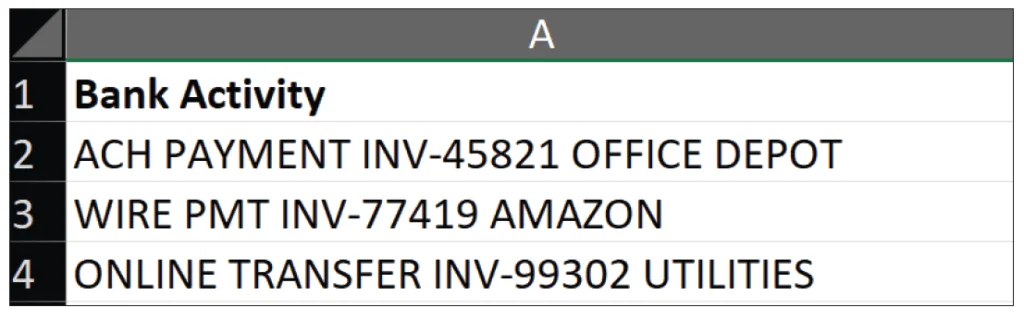
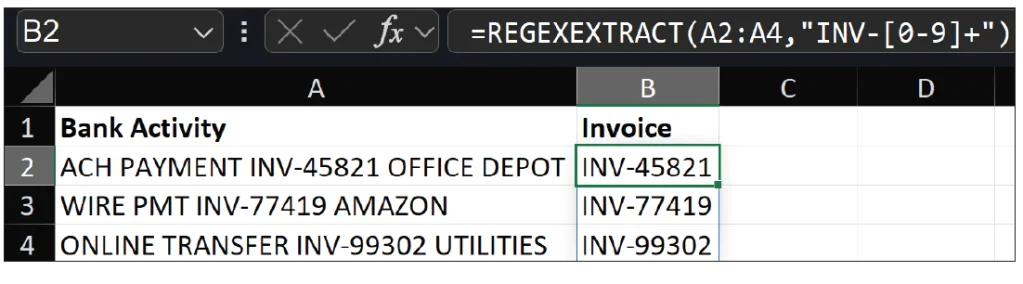
For instance, when extracting invoice numbers from transaction descriptions, the formula =REGEXEXTRACT(A2:A4,"INV-[0-9]+") scans for "INV-" followed by digits. This function dramatically simplifies the extraction process compared to traditional methods that rely on multiple nested functions.
Employing REGEXREPLACE
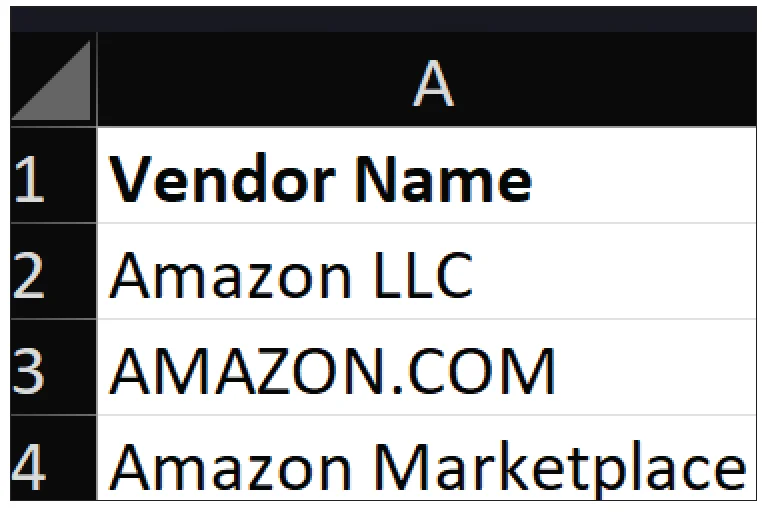
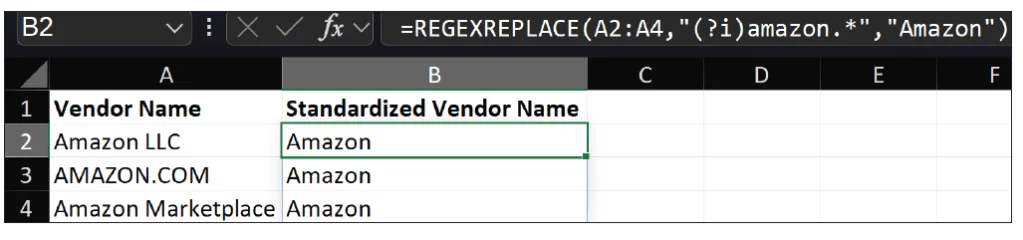
Next is REGEXREPLACE, with the syntax =REGEXREPLACE(text, pattern, replacement, [occurrence], [case_sensitivity]). This function allows users to replace matched patterns within text. For example, when dealing with inconsistent vendor names, one can standardize variations like "amazon.com," "Amazon," or "AMAZON" using the formula =REGEXREPLACE(A2:A4, "(?i)amazon.*", "Amazon"). The (?i) prefix ensures case insensitivity, leading to more accurate reports and analyses without extensive manual cleanup.
Using REGEXTEST
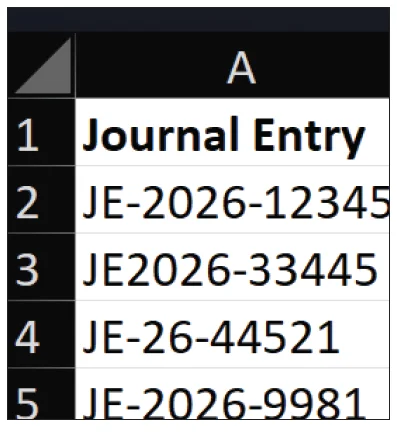
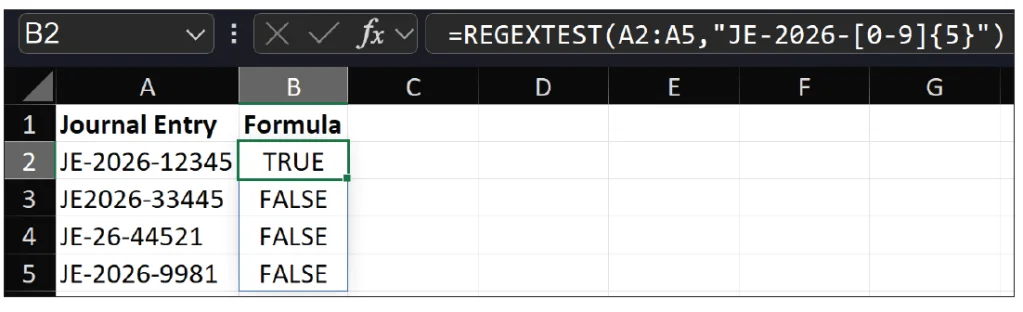
The final REGEX function, REGEXTEST, follows this syntax: =REGEXTEST(text, pattern, [case_sensitivity]). This function checks if the specified text conforms to a provided pattern. For example, to verify if journal entries follow a defined format, such as JE-2026-12345, an accountant can use =REGEXTEST(A2:A5,"JE-2026-[0-9]{5}"). If the format is correct, the function returns TRUE; otherwise, it returns FALSE, making it a useful tool during audits or closing processes.
Tackling Inconsistent Spacing and Data Quality
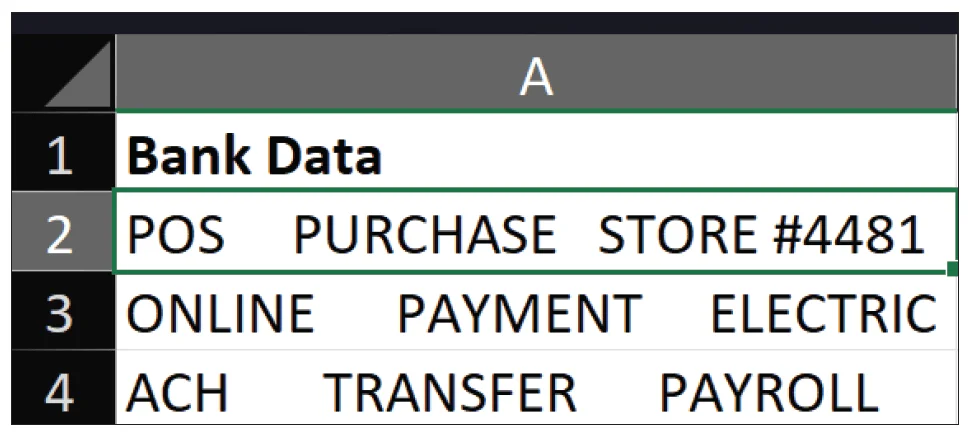
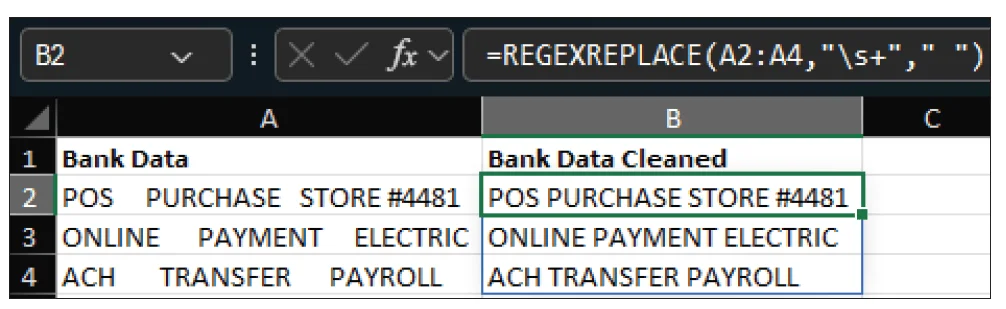
Many datasets, especially from bank or credit card exports, may feature erratic spacing that complicates data manipulation. For example, if multiple spaces disrupt lookups or summaries, one can simplify this with =REGEXREPLACE(A2:A4,"\s+"," "), effectively replacing occurrences of multiple spaces with a single space. This enhances overall data quality and makes subsequent analyses much more straightforward.
Conclusion
Traditional text functions in Excel serve many purposes, but REGEX functions offer a versatile alternative that reduces the complexity of formula combinations. By familiarizing themselves with basic patterns and utilizing live support systems like AI chatbots to formulate REGEX expressions, accounting professionals can greatly enhance their efficiency in cleaning and standardizing data. With improved accuracy in data processing, accountants can focus more on financial analysis and decision-making.
About the author:
Kelly L. Williams, CPA, Ph.D., MBA, is an associate professor of accounting at the Jones College of Business at Middle Tennessee State University.
Submit a question: For inquiries related to technology, reach out to [email protected].